我本地用的是 UE 5.6.1 版本,其他版本仅供参考
起因 UE 官方文档里面有关于配置 VSCode 的教程,不过是基于 MSVC 的。👉UE官方配置VSCode教程
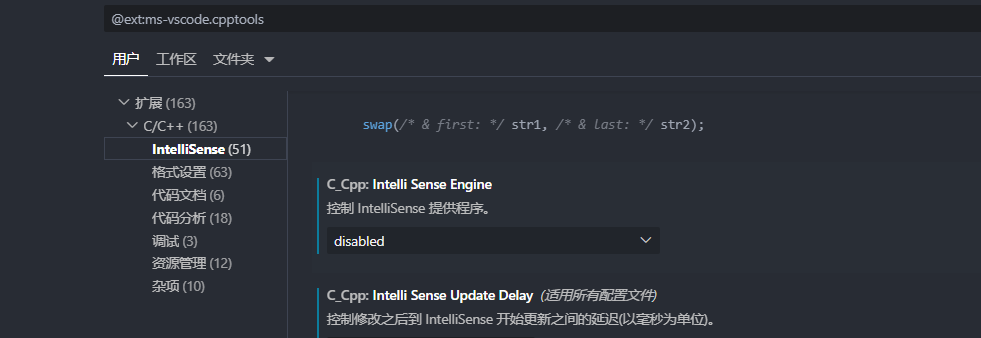
按照官方教程的做法,在 VSCode 中需要启用 C/C++ 插件的 Intelli Sense 功能,所以先把我本地的 clangd 插件禁用了(和 C/C++ 插件的 intelli sense 冲突),开启这个试了试,结果非常的卡,对于宏的提示简直一坨,解析速度也很慢,整体的开发体验非常差,于是开始研究能不能切换到 clangd 来读 UE5 项目
配置 Clangd 先把 C/C++ 插件的智能感知禁用了,然后下载 clangd 插件
使用 clangd 开发非常看配置,配置的好坏直接影响开发体验。而通常需要提供一个叫做 compile_commands.json 的配置文件(一般也被称为 Clang Database)
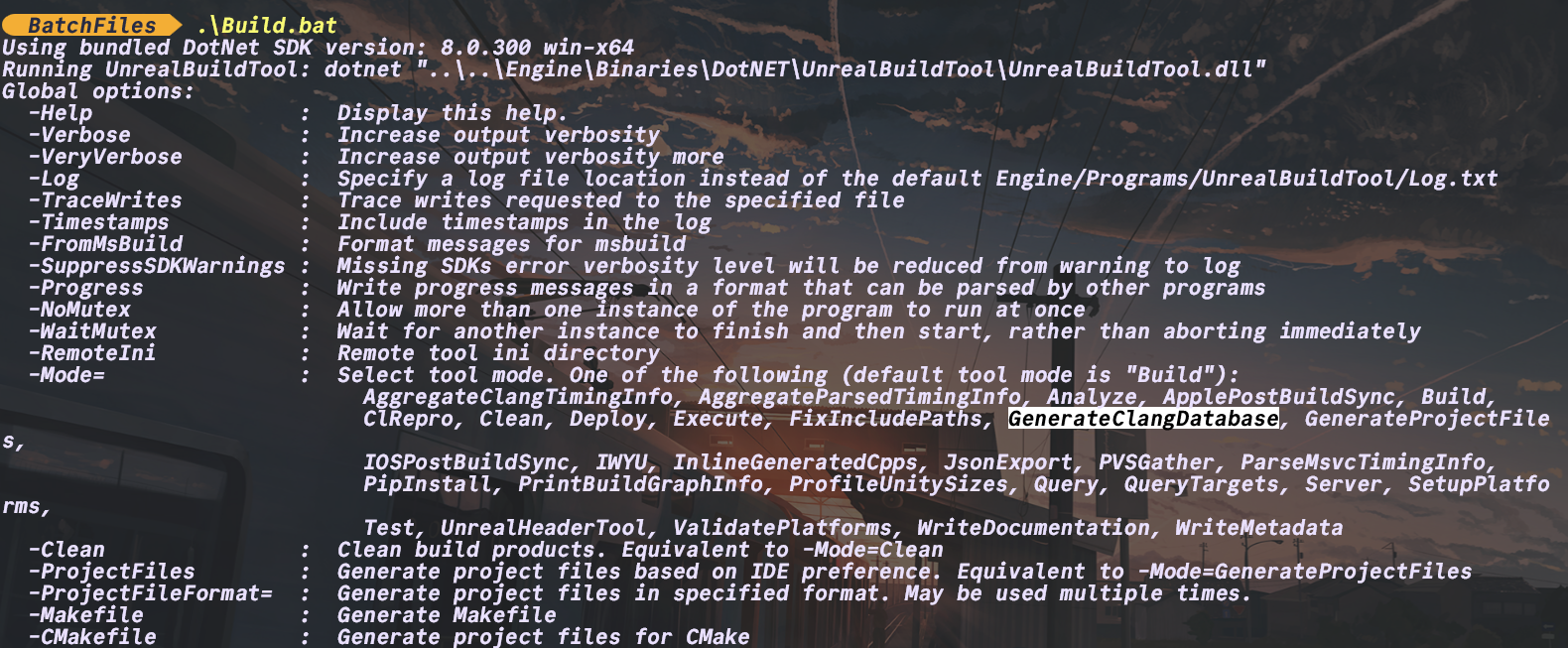
然后可以发现官方提供了生成这东西的工具:
找到引擎目录下 /Engine/Build/BatchFiles/Build.bat 这个脚本会调用内部的 UBT 工具(UnrealBuildTool),然后里面有专门的选项可以生成 clang database
所以可以运行一下下面这个命令:
我是在 UE5 项目的根目录运行的,假设项目名是 Test ,下面涉及的相关路径视情况调整
1 .\..\..\UE_5.6 \Engine\Build\BatchFiles\Build.bat TestEditor Win64 Development -Project="D:/Epic Games/Unreal_Projs/Test/Test.uproject" -mode =GenerateClangDatabase
然后就可以看到在 UE_5.6/ 下面生成了一个 compile_commands.json 文件,再移动到我们项目中的 .vscode/ 下面即可
一键generate clang database脚本 我简单写了个 bat 脚本来辅助生成,后续可能会专门写个插件一键配置
直接复制到项目根目录(确保和 .uproject 同目录),双击运行即可,无需修改
1 2 3 4 5 6 7 8 9 10 11 12 13 14 15 16 17 18 19 20 21 22 23 24 25 26 27 28 29 30 31 32 33 34 35 36 37 38 39 40 41 42 43 44 45 46 47 48 49 50 51 52 53 54 55 56 57 58 59 60 61 62 63 64 65 66 67 68 69 70 71 72 73 74 75 76 77 78 79 80 81 82 83 84 85 86 87 88 89 90 91 92 93 @echo off setlocal enabledelayedexpansionset "project_name="for %%f in (*.uproject) do ( set "project_name=%%~ nf" echo found project => !project_name! ) if "!project_name! "=="" ( echo Error: No .uproject file found in current directory pause exit /b 1 ) set "ue5_path="set "workspace_file=!project_name! .code-workspace"if not exist "!workspace_file! " ( echo Error: !workspace_file! not found pause exit /b 1 ) for /f "tokens=*" %%i in ('powershell -Command "& {(Get-Content '!workspace_file! ' | ConvertFrom-Json).folders | Where-Object {$_.name -eq 'UE5'} | Select-Object -ExpandProperty path }"') do ( set "ue5_path=%%i " ) if "!ue5_path! "=="" ( echo Error: UE5 engine path not found in workspace configuration pause exit /b 1 ) echo .echo Configuration Summary:echo ======================echo Project Name: !project_name! echo UE5 Engine Path : !ue5_path! echo .set "build_bat=!ue5_path! \Engine\Build\BatchFiles\Build.bat"set "project_path=%CD% \rhythm2.uproject"set "from=!ue5_path! \compile_commands.json"set "target=%CD% \.vscode"echo Try generate clang databasecall "!build_bat! " rhythm2Editor Win64 Development ^ -Project="!project_path! " ^ -mode =GenerateClangDatabase if %errorlevel% neq 0 ( echo . echo Build.bat failed with error level %errorlevel% pause exit /b %errorlevel% ) echo .echo Generate Clang Database completed successfullyecho .echo Try move compile_commands.json...if not exist "!from! " ( echo . echo Error: Source file not found: !from! pause exit /b 1 ) move /y "!from! " "!target! "if %errorlevel% equ 0 ( echo . echo Successfully moved compile_commands.json echo File location: !target! ) else ( echo . echo Failed to move file with error level %errorlevel% pause exit /b %errorlevel% ) endlocal
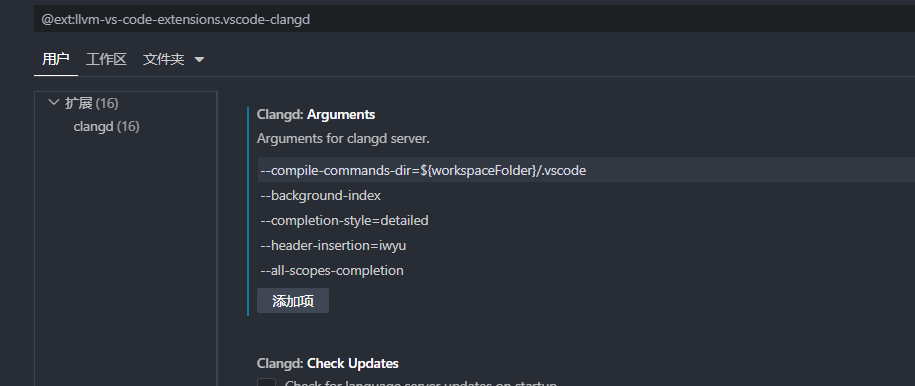
这样就可以在项目中生成 clang database 了,最后别忘了给 clangd 配点参数,可以参考我的配置:
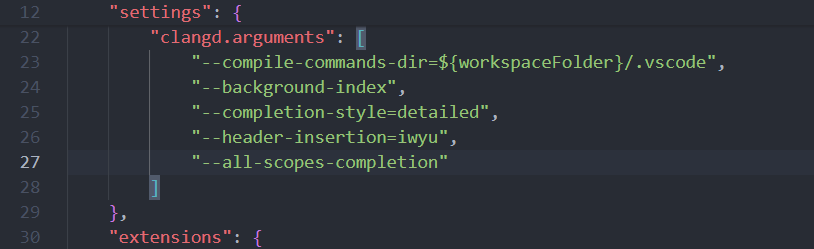
或者仅对当前项目生效,直接在工作区配置文件 ( 项目名.code-workspace ) 里加上这段
注意:直接加到 .vscode/settings.json 没用
1
2
3
4
5
6
7
8
9
{ "clangd.arguments" : [ "--compile-commands-dir=${workspaceFolder}/.vscode" , "--background-index" , "--completion-style=detailed" , "--header-insertion=iwyu" , "--all-scopes-completion" ] }
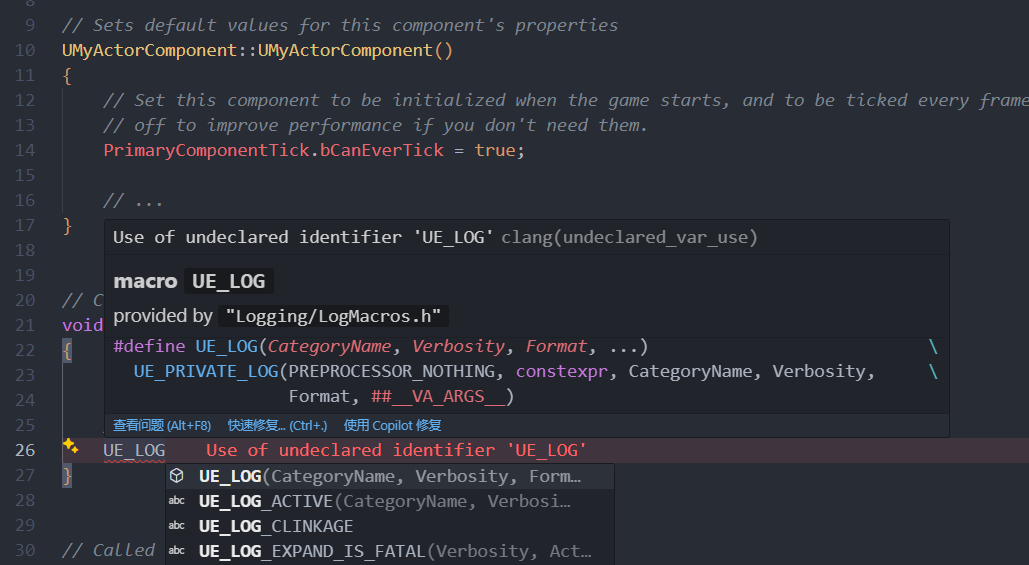
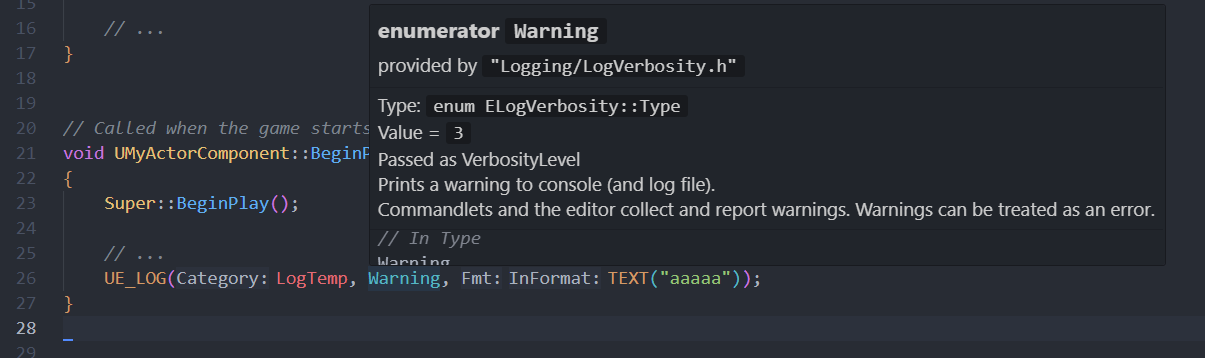
使用效果 基本上符号提示是没问题的,对于宏的支持也比较好,宏内部的符号也能识别(之前用 VS 的时候调用宏时内部的符号识别不好,比如输入 LogXXX ,指定 Verbosity 的时候都没有很好的提示,不知道是不是没配置好)
一些bug or 注意事项 LLVM out of memory 疑似 llvm 的 bug
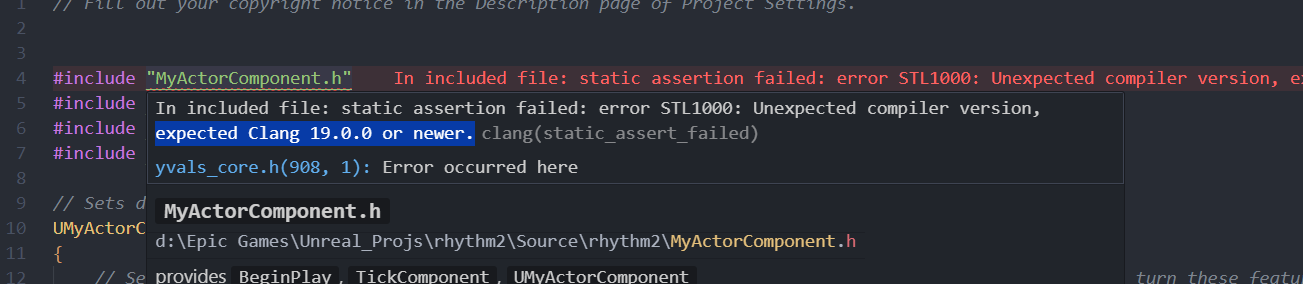
由于本人使用的 UE5.6.1 要求 clang 版本是 19.0.0 + , 然后我用 VS Installer 下载的 LLVM 19.1.5 给 clangd 插件使用,但是基本启动跑一会 clangd 服务就挂了,然后给我抛出来个爆内存的错误。之后改成了我本地装的另一个版本(直接从 Github 下载的 LLVM 18.1.8)就没有这样的问题了。
解决方法:升高版本 or 降低版本
目前我用低版本开发除了会提示需要 19.0.0+ 的 clang 这样的报错,并没有影响实际的开发体验,基本可以忽略的。
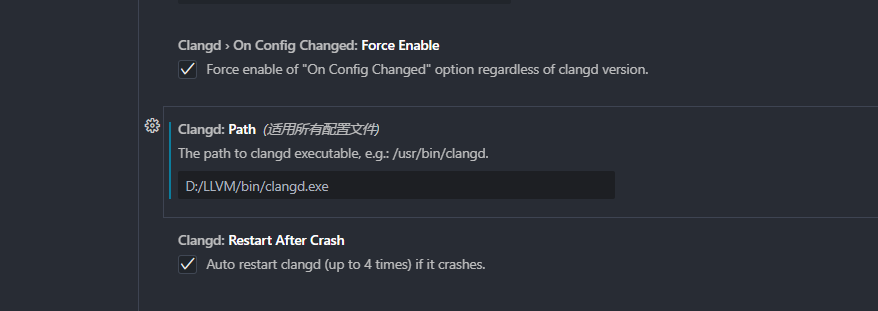
改版本直接改这里的路径就行
一键配置插件(TODO,画个饼先 x) 先鸽着,有空开发一个 :)